
File format
Artwork needs to be supplied as a print-ready PDF. Print-ready means every step below has been followed so the file can go straight to production without amendment.
How to get your artwork right first time
Our sign printing process is cutting edge — literally. Following these rules keeps your job on schedule and avoids expensive reprints. If anything here is unclear, send the file over anyway and we'll check it before it goes to print.
Artwork needs to be supplied as a print-ready PDF. Print-ready means every step below has been followed so the file can go straight to production without amendment.
Convert all fonts to outlines/paths, or make sure they are fully embedded in the PDF. Obscure or app-specific fonts (Canva exports, for example) often don't embed and won't print as they appear on screen. Minimum recommended font size is 16pt.
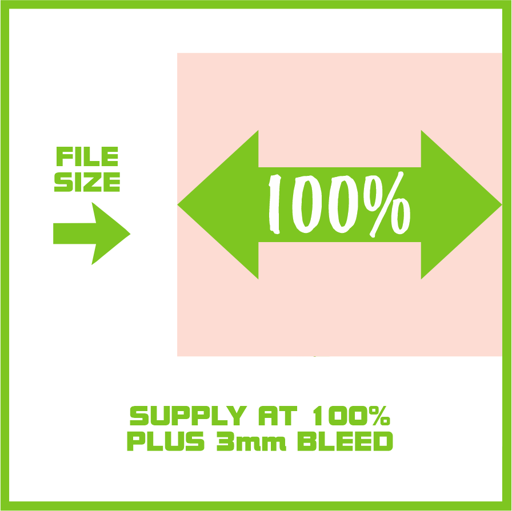
Supply the PDF at 100% of the finished size. For banners over 5m long you can supply at 50% — just note the scale in the filename so it isn't missed.
All printing runs in CMYK. Convert RGB and spot/Pantone colours to CMYK before export for the most predictable results.
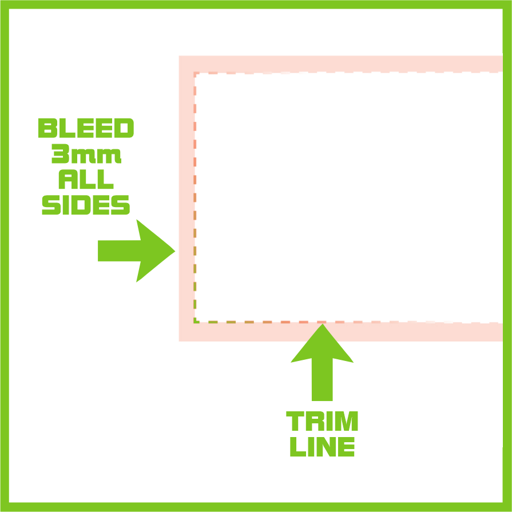
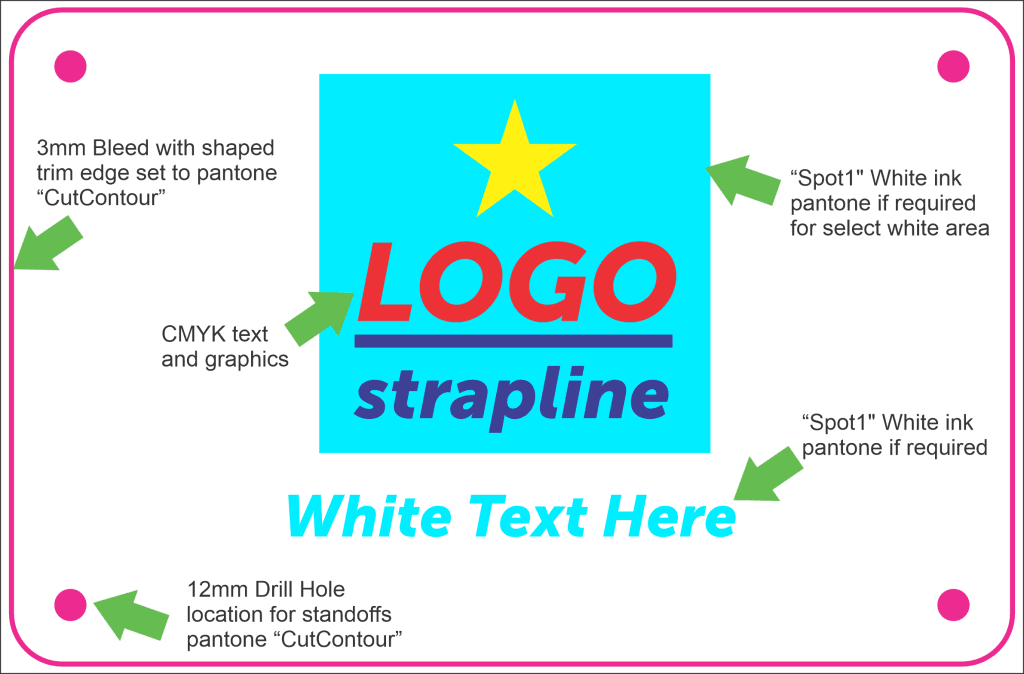
Add 3mm bleed on all four sides and do not include external crop marks — the RIP automatically deducts 3mm around the file for trimming. A 1000mm square sign should therefore be a 1006mm square page.
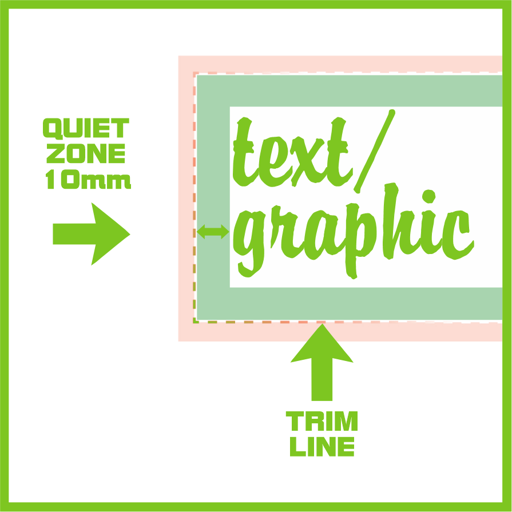
Keep all text and key graphics at least 10mm in from every edge. It looks better and protects the design from cutting tolerances.
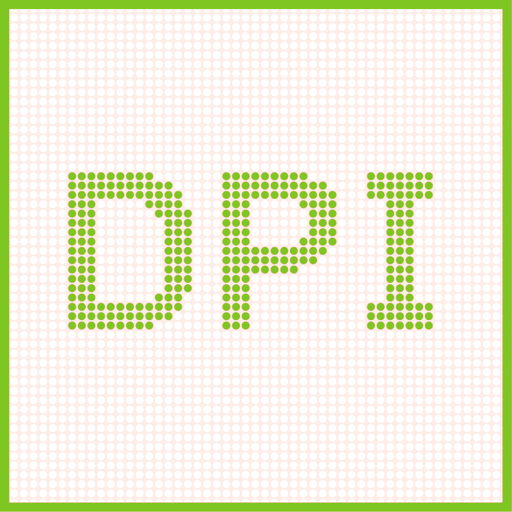
150dpi is ideal for general detail; around 100dpi is fine on larger signs. Balance quality against file size when uploading.
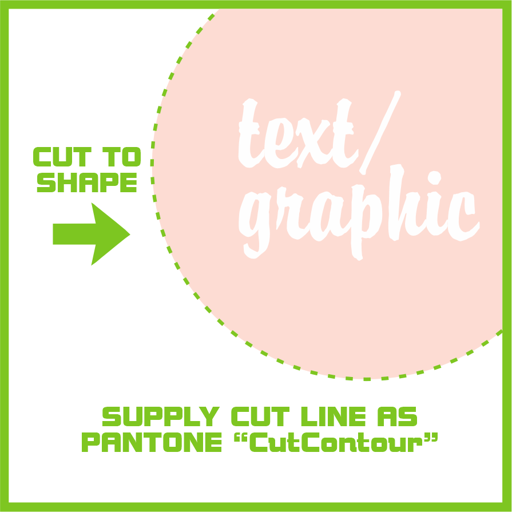
For contour-cut signs, include a cut-path vector on the top layer set to overprint using the CutContour spot colour. Keep shapes simple and under roughly 50 nodes — fine detail may not cut cleanly or can break in transit.
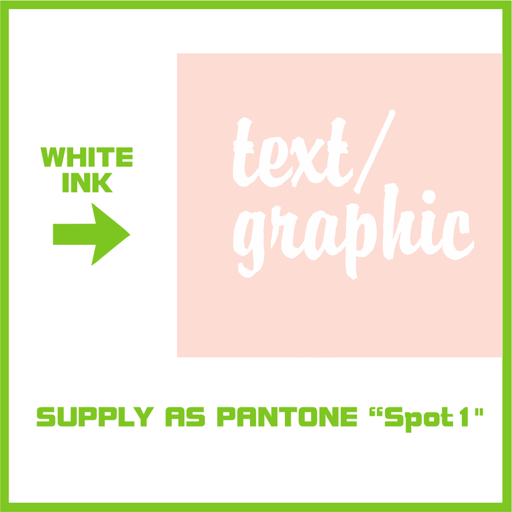
Some acrylic signs need white ink as a flood behind the graphics, as spot white, or as standalone white artwork. Supply it as a separate spot-colour layer named for white ink.

A 100% size PDF with 3mm bleed (no crop marks), with any cuts, shapes, drill holes or special finishing indicated using the finishing spot colours.
Large-format signs and displays are designed to be viewed at a distance — usually 1–2 metres for point of sale, and 5 metres or more for fascias and banners. Artwork does not need litho-level resolution.
Sign printing uses different inks and processes to litho, so an image will not match a litho print of the same file exactly.
Soft materials such as PVC foam can arrive with minor factory blemishes and mark easily. Minor scratching or creasing is not visible at normal viewing distances and isn't classed as a fault.
Get in touch before you order and we'll advise on materials, finishing and file setup.
Artwork supply: PDF only with up to 300DPI images all in CMYK colour format with 3mm bleed
If you are unsure of a product choice, usage or suitability contact us first for full details.
All artwork, file changes and checks are billed separately and the prices quoted here are for print production only.
IMPORTANT – Managing sign printing expectations Large Format Signs and displays are designed to be viewed at a distance, (usually of at least 1-2 metres for POS and often from 5 metres plus for shop sign fascias and banners).
This means that images supplied for Large Format Sign products do not need the high resolution required for litho printed items. We recommend that you provide images for signs at a maximum of 150 dpi.
The reproduction of any image will not exactly match a litho print of the same image. This is due to the printing process and ink configurations for sign printers.
All products should be handled with care. Minor scratching and creasing can occur during production. Please remember that these products are intended for viewing at a distance; these minor scratches and creases are not visible at these distances. Soft materials such as PVC Foam (foamex) arrive supplied with minor blemishes and scratches from the factory, it can very easily dent and scratch so we do not guarantee against this.